Minimal Downtime Database Migration to AWS with DMS CDC
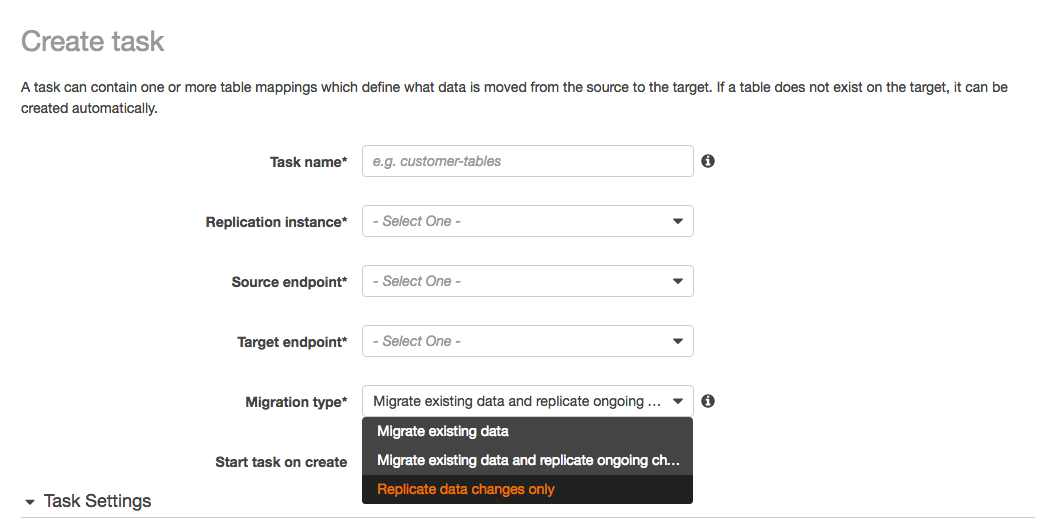
To run a minimal downtime database migration to AWS, do the full copy while the source keeps taking writes, then keep the target in sync with change data capture (CDC) until cutover. In AWS Database Migration Service (AWS DMS) this is a single "full load plus CDC" task. Downtime shrinks to the few minutes it takes to stop writes, let CDC drain, validate, and repoint the application. The bulk copy no longer sits in your maintenance window.
That is the whole idea, and it is genuinely reliable when the prerequisites are in place. It falls apart in predictable ways: missing supplemental logging, LOB columns, tables without primary keys, and a cutover step nobody rehearsed. This article covers what to check first, how the handoff actually works, and the trade-off you are signing up for.
What to check before you change anything
The failures that hurt are the ones you discover mid-migration. Front-load them.
Run a premigration assessment
DMS ships an assessment that reads your task configuration and flags what will not migrate cleanly. A premigration assessment run evaluates specific elements of the source or target, such as which data types or primary key formats can and cannot be migrated, based on your migration type and table mappings. You can start it from the console, the CLI, or the API before you run the real task.
Read the individual checks, because they map directly to problems you will otherwise hit at 2am. For a SQL Server source, for example, the assessment checks for computed columns, column store indexes, temporal tables, triggers enabled on in-scope tables, and tables without primary keys. Every one of those changes how you configure the task or whether a table replicates at all.
Enable the source logging CDC depends on
CDC reads the source database's transaction log, so the log has to carry enough information. For Oracle, DMS requires minimal supplemental logging on the source database plus supplemental logging on each replicated table, and by default it adds PRIMARY KEY supplemental logging on all replicated tables. You also need identification key logging so a row's full primary key lands in the redo log on update:
ALTER DATABASE ADD SUPPLEMENTAL LOG DATA;
ALTER DATABASE ADD SUPPLEMENTAL LOG DATA (PRIMARY KEY) COLUMNS;
DMS requires minimal supplemental logging at the database level and identification key logging, which places all columns of a row's primary key in the redo log whenever a row with a primary key is updated, even if no key value changed. For a PostgreSQL source, CDC uses logical replication, which means a logical replication slot on the source. Turning these on can increase log volume, so check that your archive log or WAL retention and disk have headroom before you start.
Prove the throughput, do not assume it
The full load pushes a lot of data across the network in a short window. AWS is blunt about testing this. AWS recommends running a small test migration to surface environment issues early and set a realistic timeline, and running a full-scale test to measure whether DMS can handle your database throughput over your network. Do that on a copy. The number you get is the input to your cutover plan, and it is the one thing you cannot guess.
How full load plus CDC actually hands off
The task runs the bulk copy first, then switches to reading the log. The important part is that CDC starts from a consistent point relative to the full load so you get every change exactly once.
By default the task manages this handoff itself. Where you want control, DMS supports native start points. Native CDC support lets you start replication from a specific checkpoint such as a log sequence number (LSN) in SQL Server or a system change number (SCN) in Oracle, which means you can do the initial load with a native tool like Oracle Data Pump or SQL Server BCP and then start CDC from that log position. That is the escape hatch when DMS full load is too slow for a very large table but you still want DMS to carry the changes.
You set the position when you start the task. The CdcStartPosition value can be a date, a checkpoint, or an LSN/SCN, and you must use either CdcStartPosition or CdcStartTime but not both:
aws dms start-replication-task \
  --replication-task-arn arn:aws:dms:region:acct:task/EXAMPLE \
  --start-replication-task-type start-replication \
  --cdc-start-position "2024-01-15T00:00:00"
Tune the load, then tune change apply
For the full load, parallelism is the main lever. MaxFullLoadSubTasks sets how many tables load in parallel, defaulting to 8 with a maximum of 49, and ParallelLoadThreads controls the threads used to push records to the target. For the CDC phase, batching changes raises throughput but has a real cost. BatchApplyEnabled commits changes in batches instead of per transaction, and it requires a primary or unique key on the source tables. Batch optimized apply almost always violates referential integrity constraints, so AWS recommends turning those constraints off during migration and back on at cutover.
There is a sequencing detail that saves a lot of grief. For a full load plus CDC task, add secondary indexes before the CDC phase so DML operations do not cause full table scans; you can pause the task before CDC to build indexes and referential integrity constraints, and enable triggers right before cutover. On an RDS or Aurora target, it is a good idea to turn off backups and Multi-AZ on the target until you are ready to cut over.
The parts that quietly break: LOBs and validation
Two things routinely turn a smooth migration into a slow one.
LOB handling is a real decision
Large objects do not stream like ordinary columns. In full LOB mode DMS has no size information so it migrates LOBs one piece at a time, which can be quite slow; in limited LOB mode you set a maximum size, DMS pre-allocates memory and bulk loads, and LOBs over the limit are truncated with a warning. AWS recommends limited LOB mode where you can. The cost is that you must know your data: the maximum for this parameter is 102400 KB (100 MB), and a Max LOB size above 63 KB affects full load performance in limited LOB mode. Measure the largest LOB on the source first, or you will silently truncate data.
Validate, do not eyeball row counts
DMS can compare source and target row by row. During data validation DMS compares each row in the source with its corresponding row on the target and reports mismatches, issuing queries that consume extra resources on both endpoints and on the network. You control the cost with task settings. ThreadCount defaults to 5 and higher values validate faster but run more simultaneous queries against source and target, and TableFailureMaxCount defaults to 1,000 rows before validation is suspended for a table. Enable validation on the task and let it settle before you plan cutover, because unresolved mismatches are the reason to stop.
Making the cutover boring
You have a choice of cutover style, and it is the central trade-off of the whole exercise.
| Approach | Downtime | Complexity | Rollback |
|---|---|---|---|
| Offline (full load only) | Write downtime for the whole copy | Low, no CDC prerequisites | Restart on source, no changes lost |
| Flash-cut (full load plus CDC) | Minutes at cutover | Higher: logging, validation, tuning | Harder once writes land on target |
In an offline migration you stop write traffic and copy everything, so read traffic can continue but writes must stop for the duration; flash-cut migration keeps read and write traffic on the source during the copy and relies on continuous CDC to keep downtime minimal. Offline is the honest choice when your data is small or you already own a quiet window. CDC is worth its complexity only when a long write freeze is genuinely unacceptable.
Whichever you pick, the cutover itself is a rehearsed sequence, not an improvisation. Stop writes at the source. If data consistency matters you may need to lock the source, for example a database lock, before cutover so no new transactions occur, though locking widens the downtime window. Let CDC latency reach zero, run a final validation, re-enable the constraints, triggers, backups and Multi-AZ you turned off, then repoint the application connection string. Keep the source intact and read-only for a defined period so rollback is a connection-string change, not a restore. This is exactly the kind of runbook we help teams write and rehearse under our cloud migration service, and it is worth testing against your latency targets the same way you would any change with our reliability and SRE practice.
The trade-off to be clear-eyed about: CDC buys you a short cutover, and you pay for it in prerequisites, source log load, tuning, and a rollback that gets harder the moment production writes land on the new database. When the write freeze is cheap, the simpler offline path is often the better engineering decision.
Frequently asked questions
How much downtime does AWS DMS full load plus CDC actually require?
Only the cutover window, which is the time to stop writes, let CDC drain to near-zero latency, run a final validation, and repoint the application. That is typically minutes rather than hours, because the bulk copy happened earlier while the source was live. The exact number depends on change volume at cutover and how much validation you insist on before flipping.
Do I need a primary key on every table to use CDC?
Effectively yes for reliable change replication, and definitely for batched apply. BatchApplyEnabled requires a primary or unique key on the source tables, and without one only batch inserts apply. The premigration assessment flags tables without primary keys, so run it first and fix those tables before you build the task.
Should I use offline migration or CDC?
It depends on how expensive a write freeze is for you. Offline migration stops write traffic while data is copied, while flash-cut relies on continuous CDC to minimise downtime. If your database is small or you have a maintenance window that comfortably fits the full copy, offline is simpler and its rollback is cleaner. Choose CDC when a long write freeze would breach your SLAs.
Why is my DMS full load so slow?
The usual culprits are LOB columns and insufficient parallelism. Full LOB mode migrates large objects one at a time and can be quite slow, whereas limited LOB mode pre-allocates memory and bulk loads. Also raise parallelism where the target can take it: MaxFullLoadSubTasks defaults to 8 and goes up to 49. Run a full-scale test first so you are tuning against a real throughput number, not a guess.