Migrate On-Premises File Shares to AWS with DataSync
Title: Migrate On-Premises File Shares to AWS with DataSync
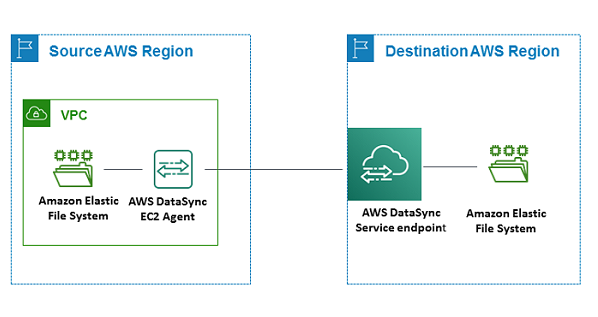
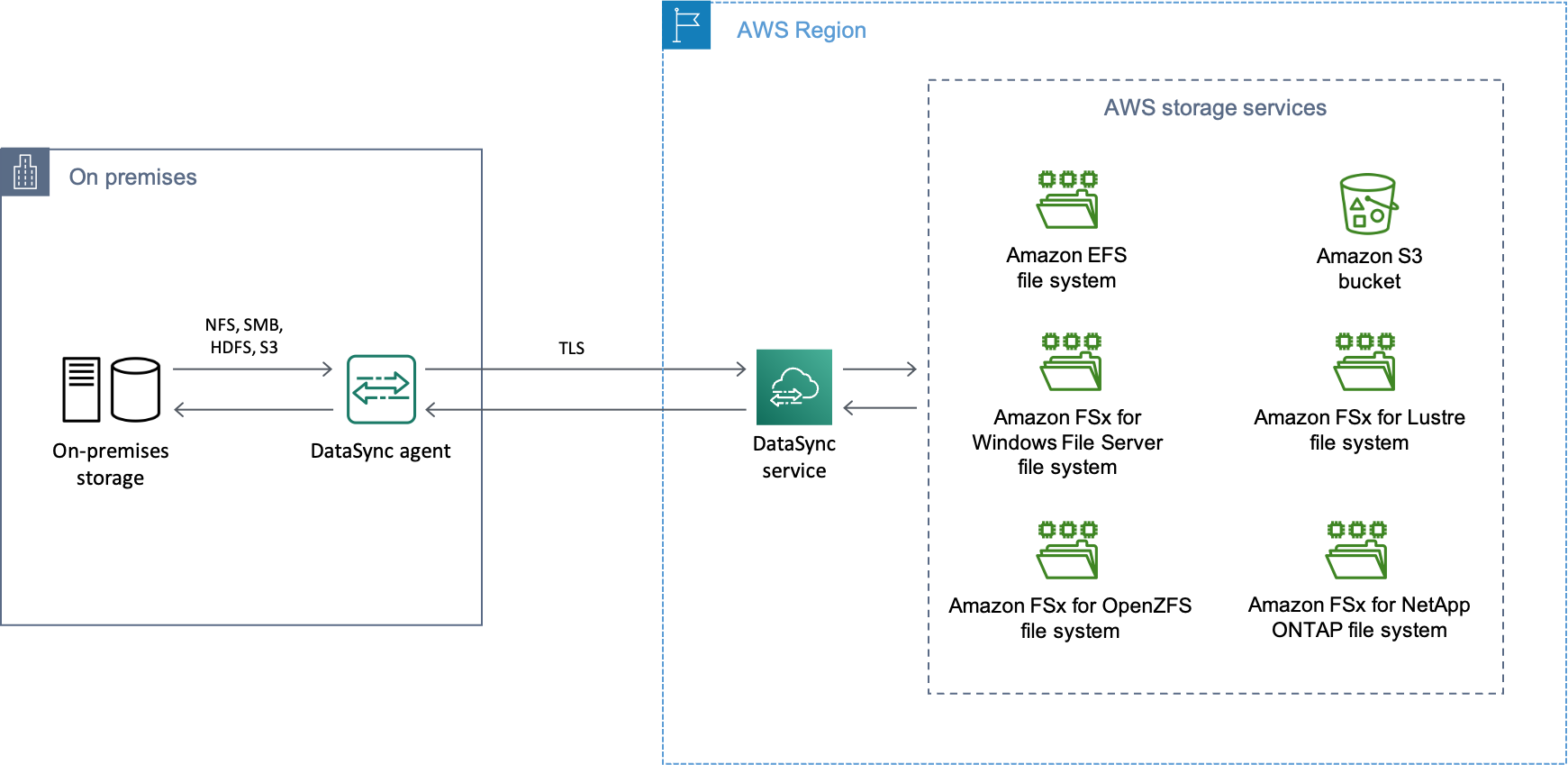
To migrate on-premises file shares to AWS, deploy an AWS DataSync agent next to your NFS or SMB storage, create source and destination locations, run an initial full copy, then run repeated incremental syncs until the delta is small enough to cut over in a short maintenance window. DataSync handles checksums and metadata so you are not writing a fragile rsync cron job. The work that decides whether the cutover is boring or painful happens before you create the first task: sizing the agent, choosing the task mode, and mapping the network path.
This is the file-server case specifically. If you are moving whole servers you want a rehost tool, and if you are moving a relational database you want change data capture. DataSync is for the shared drives: the departmental SMB shares, the NFS export behind a build farm, the home directories nobody has audited since 2019.
Check these before you change anything
Do the discovery first. Every unpleasant surprise in a file migration is something that was true on the source before you started.
Count files, not just bytes. DataSync spends real time in a preparation phase walking the tree. <cite index="0-14">DataSync's agent resource guidance for working with large file counts is a general guideline, and your agent may need more resources because of factors such as how many directories you have and object metadata size.</cite>